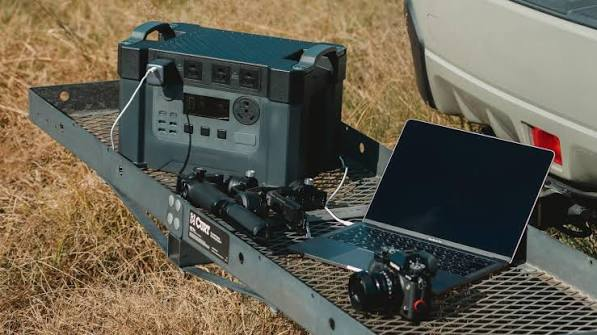
There is a special kind of panic that arrives when a laptop warns of low battery in the middle of a scenic train ride, with a deadline ahead and no outlet in sight. For travelers who mix work with wandering, power is not a small detail. It decides whether you can answer an email, edit photos, or simply find your way back to your hotel.
The good news is that staying powered on the road is mostly about preparation. With the right accessories and a few smart habits, you can travel freely without scanning every wall for a socket. Here is a practical guide for anyone who loves adventure but still needs their devices to work.
Know Your Power Needs Before You Go
Different trips call for different setups. A weekend city break with a phone and earbuds asks very little. A two-week road trip with a laptop, camera, drone, and tablet asks much more.
Start by listing every device you plan to bring and noting roughly how long you will be away from reliable power each day. A long hike or a full travel day with no outlet needs far more backup than an evening in a hotel room. This simple exercise tells you how much capacity you actually need, so you avoid both running out and hauling around a heavy brick you never use.
Also check airline and transport rules. Portable batteries must travel in carry-on luggage, and most airlines limit their size, so it is worth confirming the details before packing.
Choose a Power Bank That Can Handle a Laptop
Most small power banks are built for phones, and they struggle or simply refuse to charge a laptop. If your work travels with you, you need something designed for larger devices.
A laptop power bank should offer enough output wattage to match your computer’s charger, support fast charging through a modern USB-C port, and carry a capacity that fits your trip. Check your laptop’s power adapter label to see how many watts it needs, then choose a battery that meets or exceeds that number. Higher capacity also means more weight, so find a balance that suits how far you will walk with your bag.
Here is what to look for when comparing options:
- Output wattage: It must match what your laptop needs to charge properly.
- Capacity: Larger numbers mean more charges, but also more weight.
- Multiple ports: Charge a laptop and a phone at the same time.
- Safety features: Overheat, short-circuit, and overcharge protection should be standard.
- Pass-through charging: Useful for topping up the battery and your devices together.
Recharge your power bank every night, just as you would a phone, so it is always ready for the next day.
Pack Chargers That Work Everywhere
Outlets vary from country to country, and a single missing adapter can leave you stranded in a rental or a hostel. A little planning prevents most problems.
Bring a universal plug adapter that covers the regions you will visit. Pair it with a compact wall charger that offers more than one port, so a phone, camera, and earbuds can share a single outlet. If you travel with a partner or friends, this saves precious socket space in older accommodations where outlets are scarce.
A modern USB C charger is especially useful here, since it can power laptops, tablets, and phones from one small unit. That means fewer bricks in your bag, less weight, and fewer things to forget in a hotel room. Look for one with enough wattage for your largest device and built-in protection for safe use across different voltage systems.
Keep your cables in a small pouch, and carry at least one spare. A frayed cable on day two of a long trip is a much bigger problem than it sounds.
Make Smart Choices on the Road
Even good gear lasts longer when used wisely. A few habits can stretch every charge and reduce how much power you need.
Lower your screen brightness, close apps running in the background, and switch on battery-saver modes during long travel days. Download maps, music, and shows in advance, since streaming over weak signals drains batteries quickly. In cold weather, keep devices close to your body, because low temperatures shrink battery capacity fast.
Charge opportunistically. Cafes, train stations, and airport lounges are good places to top up while you eat or wait. Treat every outlet you pass as a chance to add a little more power to your day.
A Quick Pre-Trip Power Checklist
Before you leave, run through this short routine:
- Charge everything fully, including your power bank.
- Pack chargers and cables in one pouch inside your carry-on.
- Download offline content for flights, trains, and remote areas.
- Check adapter compatibility for each country on your route.
- Back up photos and files before you set out.
Final Thoughts
Adventure should be about the places you see, not the battery percentage in the corner of your screen. A little planning, the right power gear, and a few good habits mean you can travel with confidence and stay connected whenever you need to.
Before your next trip, take ten minutes to check what you own. A small upgrade now could save you hours of worry when you are far from home.